What to Redact on a Rental Application Before You Send It (2026 Guide)
Exactly what renters can safely redact before sending IDs, pay stubs, and bank statements to a landlord. Learn what to leave visible, what to black out, and how to avoid fake redactions.
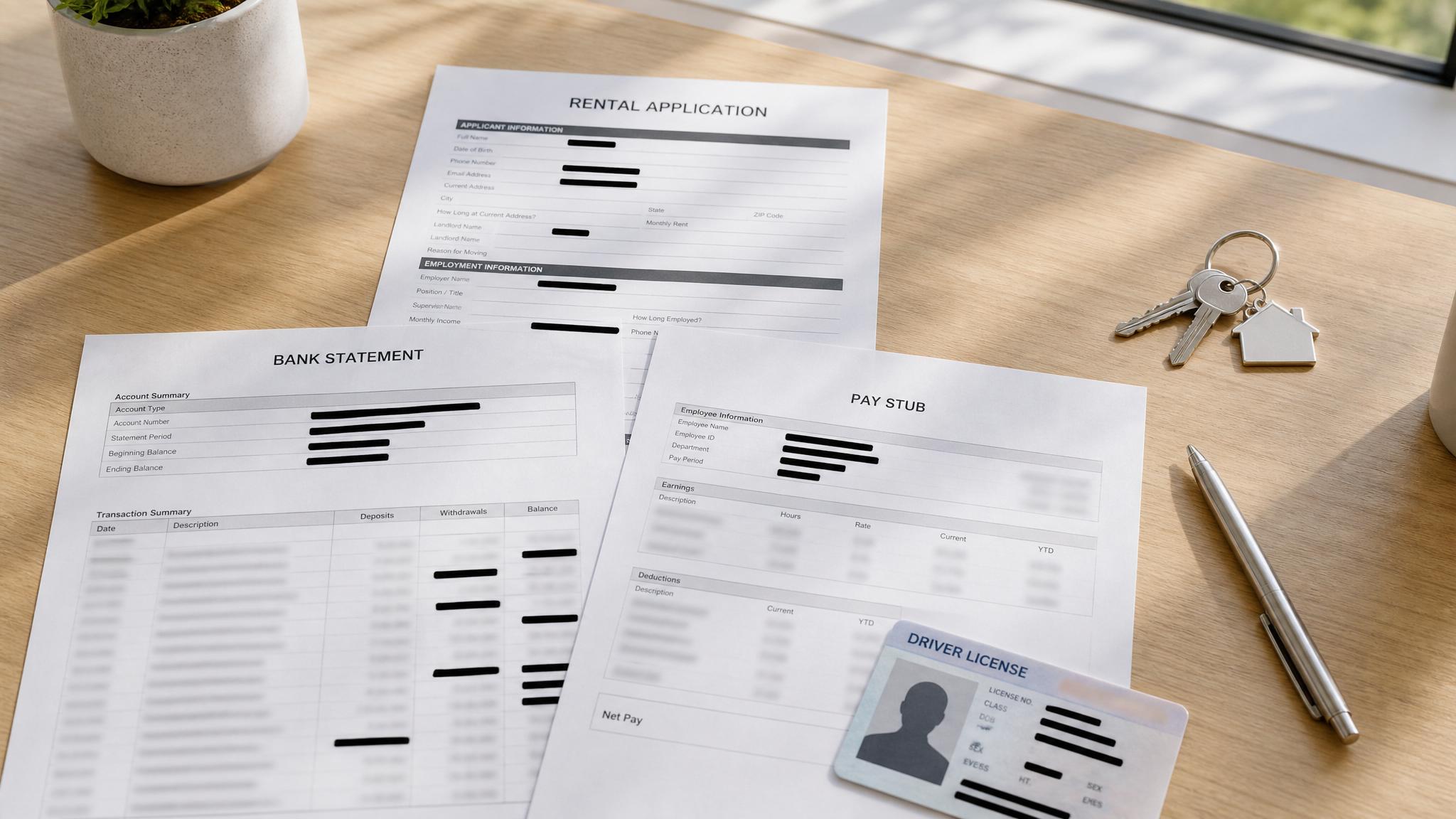
Rental applications create a privacy trap.
You need housing, the clock is ticking, and someone asks for a driver's license, recent pay stubs, bank statements, maybe even a utility bill. Most renters send the whole thing unredacted because they assume that is just how the game works.
It does not have to.
A landlord usually needs enough information to verify three things:
- You are who you say you are
- You have steady income
- You can cover rent and deposit
They do not need a full tour of your financial life.
What landlords are actually trying to verify
When a landlord or property manager asks for supporting documents, they are usually checking for:
- your full name matching the application
- a recent document date
- an employer or pay source
- enough income or available balance to support the rent
That is the real job to be done.
Everything beyond that is usually convenience for them and exposure for you.
What to leave visible
If you redact too aggressively, your application gets kicked back. Keep these visible unless there is a specific reason not to:
- Your full name
- Document dates
- Employer name or pay source
- Gross or net income on pay stubs
- Direct deposit amounts if those prove income
- Ending balance on bank statements
- Last 4 digits of an account number, when helpful for authenticity
This is the proof layer. Leave it alone.
What you can safely redact
This is the stuff most renters should black out before sending:
Always redact
- Full Social Security Number
- Full bank account number
- Routing number
- Driver's license number if the landlord only needs photo ID confirmation
- Employee ID or internal payroll IDs
Usually redact
- Individual transaction descriptions on bank statements
- Merchant names and spending history
- Transfers to or from other accounts
- Linked account details
- Itemized payroll deductions
- Home address on pay stubs when the landlord already has it elsewhere
Redact only with caution
- Year-to-date pay totals
- Specific deposit lines
- Account balances
If the landlord is using those fields to verify affordability, do not hide them unless you are replacing them with another proof source.
What you should not fake or hide
There is a difference between protecting privacy and weakening your application.
Do not redact:
- your name
- pay dates
- employer name if income verification depends on it
- total income figures
- ending balances they are clearly relying on
Also, do not alter numbers, crop strategically to mislead, or hide negative information in a way that makes the document deceptive. Privacy is fine. Fraud is not.
Red flags to watch for
Be careful if someone asks for:
- full unredacted bank statements by personal email
- full SSN when a screening service would do the verification more safely
- more documents than they can justify
- sensitive docs sent to a random Gmail address with no secure portal
A reasonable pushback looks like this:
Happy to provide the documents with sensitive fields redacted. My name, dates, income, and balances are still visible for verification.
If they insist on raw documents anyway, that is not automatically a deal-breaker, but it is a signal about how casually they may handle tenant data.
How to redact correctly
A lot of renters use a markup tool, drag a black rectangle over text, save the file, and assume it is safe. Sometimes the original text is still sitting right underneath the black box.
A proper workflow looks like this:
If the text underneath is still selectable, it was never really redacted.
A simple renter-safe workflow
If you need to do this quickly on your phone or laptop:
If you want a fast browser-based workflow, RedactID's rental application redactor lets you redact the file on your device before sharing it.
Bottom line
A rental application is supposed to prove that you are qualified, not expose every sensitive identifier attached to your life.
Leave visible what proves identity, income, and affordability. Redact what creates unnecessary risk. Make sure the redaction is real, not cosmetic.
---
Related: Redact rental applications · How to redact a pay stub for a landlord · How to share bank statements safely · Redact documents for landlords
Need to redact a rental application right now? Try RedactID free →. It runs in your browser, with no file upload to our servers. For multi-file application packets, see plans & pricing.Do it now, free
Everything runs in your browser. Your file is never uploaded.
Ready to Protect Your Privacy?
RedactID lets you redact sensitive information from documents without uploading them — everything is processed on your device.